
Architecture
A well-architected site ranks higher and converts better. We build clear, strategic site structures that search engines love and users understand. Ready to lay the right foundation? Call our expert, fanatic team today!
Free SEO audit
See exactly what we'd fix no obligation.
Response within 1 business day.
It is actually not that difficult to tell Google what you want certain pages to rank for. By sending consistent signals across key elements you make that page’s theme quite apparent to Google. Some of the fastest and easiest ways to action this is through architectural elements like your meta info. Your ‘page description’ is generally what Google will display in blue writing on their search engine results page [SERP]. The ‘meta description’ is the wording in black in the SERP below the title. Ensure you add your SEO keywords into these fields in the back end of your website. Note there are character count limits and tools like Yoast in WordPress will help guide you on the correct length here.
Other architectural elements to match the above are your page’s URL, your headings tags [H1, H2 etc] and even your image’s tags called the alt tag. By adding your desired SEO keywords into all of these fields you heavily increase your chances of showing for these terms.

A really great analogy of architecture and meta information is the Corn Flakes example. If you want to buy Corn Flakes you need a building with a big supermarket sign with the lights on a clear road. Once inside the supermarket you need a clear sign saying ‘breakfast cereals’. Then once in the aisle, Corn Flakes needs to be clearly visible at eye level under a working overhead light. By having all of your metas set up you are essentially having your page found like Corn Flakes is found at the local supermarket!!!
You May Also Like
Here's How a Well-architected Site Helps Your Business Grow

SEO vs Google Ads: which is better for...
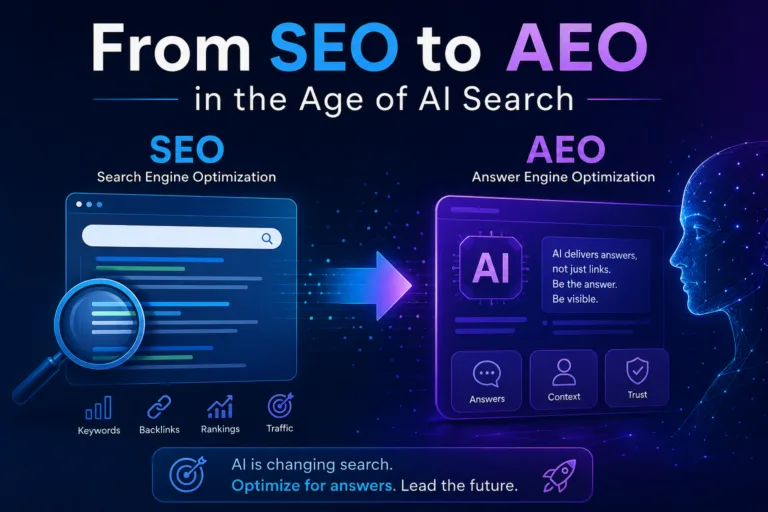
Reboot 2026: From SEO to AEO in the...

Mastering E-commerce in 2024

Dominate the Aussie Market with Google Ads: A...

Harmonizing Product Pages for SEO: A Comprehensive Guide...

How AI is Revolutionising SEO: Everything You Need...
faq'S
Frequently Asked Questions
What is website architecture in SEO?
Website architecture is how your site is organised and signposted, both for visitors and for Google. It covers the structure of your pages and menus, how pages link to each other, and the on-page elements that describe each page: meta titles, meta descriptions, URLs, headings and image alt text. Good architecture makes it easy for Google to find and understand every page.
Why does site architecture matter for SEO?
Google needs to find your pages, understand what each is about and work out which are most important. Clear structure and consistent on-page signals make all three easier, so the right page ranks for the right search. Poor architecture can leave pages undiscovered, confuse Google about a page’s topic, or split authority across competing pages.
What's a simple way to understand site architecture?
Think of finding Corn Flakes in a supermarket. You need a clear sign on the building, a sign for the breakfast cereal aisle, and the box at eye level under a working light. Your website works the same way: a clear homepage, logical categories and well-labelled pages help Google and customers find exactly what they’re after.
What is on-page SEO?
On-page SEO is optimising the elements on each page so it’s relevant to the searches you want to rank for. It includes content, meta titles, meta descriptions, headings, URLs, image alt text, internal links and structured data. Architecture covers many of these elements, while the content pillar covers the writing itself.
What is the difference between site architecture and technical SEO?
They overlap. Site architecture focuses on structure and labelling: menus, page hierarchy, URLs, internal links and meta information. Technical SEO covers how search engines crawl and process your site, including speed, indexing, errors, redirects and sitemaps. Both make sure Google can find, understand and trust your pages.
How do I know if my site architecture has problems?
Common signs include important pages that don’t rank or aren’t indexed, several pages ranking for the same keyword, missing or duplicate meta titles, pages more than three or four clicks from the homepage, and orphan pages with no internal links. A site audit using Google Search Console and crawling tools will surface these issues.
What is a meta title?
The meta title, or title tag, is the clickable blue headline shown for your page in Google’s search results and in the browser tab. It’s one of the strongest on-page signals of what a page is about. Each page should have a unique title that includes its main keyword and gives searchers a reason to click.
What is a meta description?
The meta description is the short summary shown in grey or black text under the title in Google’s results. It doesn’t directly affect rankings, but a compelling description with the searcher’s keyword and a clear benefit or call to action increases clicks, which drives more traffic from the same ranking.
How long should meta titles and descriptions be?
Aim for roughly 50 to 60 characters for meta titles and 150 to 160 characters for meta descriptions. Google measures by pixel width, so longer text gets cut off with an ellipsis. Put the most important words first. Plugins like Yoast or Rank Math in WordPress show a preview to help you stay within limits.
Why does Google change my page title or description?
Google sometimes rewrites titles and descriptions when it thinks other text on the page better matches the search. It’s more likely when titles are too long, stuffed with keywords, duplicated across pages or don’t match the content. Clear, accurate, unique titles and descriptions are more likely to be shown as written.
What are heading tags (H1, H2, H3)?
Heading tags structure a page’s content. The H1 is the main heading and should describe the page’s topic, usually including the main keyword. H2s break the page into sections, and H3s divide those further. Clear headings help readers scan the page and help Google and AI tools understand how the content is organised.
Should every page have only one H1?
It’s best practice. A single, clear H1 that states the page’s topic gives the strongest signal to readers and search engines. Google can handle multiple H1s, but they often indicate a messy template, such as a logo or tagline wrapped in an H1. Use H2s and H3s for everything below the main heading.
What makes an SEO-friendly URL?
Keep URLs short, readable and descriptive, using lowercase words separated by hyphens and including the page’s main keyword, such as /emergency-plumber-bondi/. Avoid long strings of numbers, unnecessary words and dates. Once a page ranks, avoid changing its URL; if you must, set up a 301 redirect from the old address.
What is image alt text?
Alt text is a short written description of an image, added in your website’s backend. Screen readers use it for vision-impaired visitors, and Google uses it to understand the image and the page. Describe what the image shows accurately and naturally, including a keyword only where it genuinely fits.
Should I put keywords in all of these fields?
Yes, where it reads naturally. Consistent signals across the title, H1, URL, opening paragraph and relevant alt text make a page’s topic clear to Google. But each field should serve the reader first. Repeating the same exact phrase everywhere, or stuffing keywords into alt text, looks spammy and can backfire.
What is a good site structure for SEO?
A good structure is shallow and logical: homepage, then main categories or services, then individual pages, with every important page reachable within three clicks. Group related pages together, use clear menu labels that match how customers search, and avoid isolated pages that nothing links to.
What is internal linking and why does it matter?
Internal links connect pages on your own website. They help Google discover pages, understand how topics relate, and pass authority from strong pages to others. Linking from blog posts to related service pages, using descriptive anchor text, is one of the simplest ways to help important pages rank.
What are breadcrumbs?
Breadcrumbs are the small trail of links at the top of a page, such as Home » SEO » Architecture, showing where the page sits in your site. They help visitors navigate, add useful internal links, and can appear in Google’s results instead of a raw URL. Breadcrumb schema helps Google display them correctly.
What is an XML sitemap?
An XML sitemap is a file listing the pages you want search engines to find, often with when they were last updated. Submitting it in Google Search Console helps Google discover new and updated pages faster, especially on large sites. It should include only live, indexable pages, not redirects or error pages.
What is a canonical tag?
A canonical tag tells Google which version of a page is the main one when similar or duplicate versions exist, such as product pages reachable through several URLs. It consolidates ranking signals onto the preferred URL and stops duplicates competing with each other. Most eCommerce platforms add canonicals automatically, but they’re often set incorrectly.
What is schema markup?
Schema markup is structured code that describes your content to search engines, such as your business details, services, products, prices, reviews, FAQs and breadcrumbs. It can make you eligible for rich results like star ratings and product details, and it helps Google and AI tools understand and cite your pages accurately.
How does site architecture help with AI search?
AI tools like ChatGPT, Gemini and Google’s AI Overviews favour content they can easily find, parse and trust. A clear hierarchy, descriptive headings, important pages accessible from the menu, and schema markup all make your content easier for AI to understand and cite. Learn more about AI optimisation.
What are orphan pages?
Orphan pages have no internal links pointing to them, so visitors and search engines struggle to find them. Even if they’re in your sitemap, Google may treat them as unimportant. Fix them by linking from relevant pages and menus, or remove them if they no longer serve a purpose.
What does Search Rescue do to improve site architecture?
Search Rescue reviews your site structure, menus and internal links, then writes keyword-led meta titles and descriptions, fixes headings, URLs and alt text, and adds schema markup. It’s one of the 8 pillars of SEO and part of every SEO campaign.
Can you fix architecture on my existing website without a rebuild?
Yes. Most improvements, such as meta titles and descriptions, headings, alt text, internal links, breadcrumbs and schema, can be made within your current website. Bigger structural changes like new categories or URL changes are planned carefully with redirects. For complex template issues, Search Rescue works with your web developer.
Do you work with WordPress, Shopify and other platforms?
Yes. Search Rescue optimises sites built on WordPress, Shopify, WooCommerce and Magento, each of which handles meta fields, URLs and canonicals differently.
How quickly do architecture changes affect rankings?
Architecture changes are often among the fastest SEO wins. Google usually picks up updated titles, headings and internal links within days to a few weeks as it recrawls your pages. Improvements in clicks from better titles and descriptions can show soon after, while ranking gains build over the following weeks.
How do I get started?
Request a free SEO audit through the contact page or call 1300 107 110. The audit checks your meta titles and descriptions, headings, URLs, internal links, site structure and technical health, and gives you a prioritised list of fixes.
GET STARTED
Request your free audit
We'll review your SEO or ad account and show you exactly what we'd change before you spend a cent.
- No lock-in contracts
- Response within 1 business day
- You keep full access to your own accounts
Search Rescue | Bondi Junction
F1/9-13 Bronte Rd, Bondi Junction, NSW 2022, Australia.